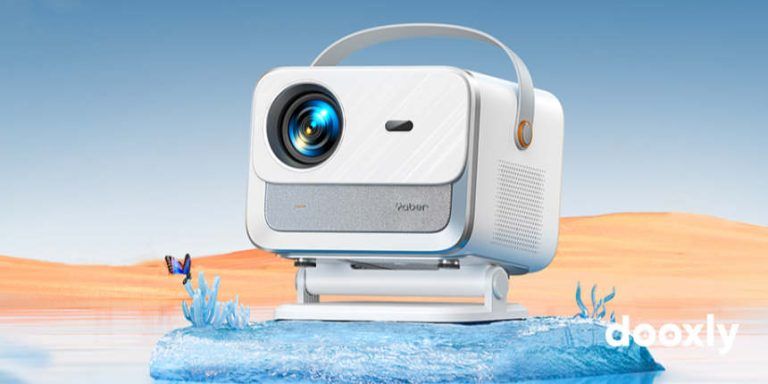
The Vankyo Leisure 470 is the perfect choice for home entertainment. This small and portable projector offers great features at a great price. Let’s find out in this full review!
Jump to
- 1 Specifications
- 2 What’s in the box?
- 3 VANKYO Leisure 470: Main Features and Benefits
- 4 VANKYO Leisure 470 vs QKK QK03
- 5 VANKYO Leisure 470 vs TOPVISION T21
- 6 VANKYO Leisure 470 vs BOMAKER GC557
- 7 VANKYO Leisure 470 vs VANKYO Leisure 430
- 8 VANKYO Leisure 470 vs VANKYO LEISURE 3
- 9 VANKYO Leisure 470 vs VIVIMAGE Explore 2
- 10 VANKYO Leisure 470 vs VicTsing WiFi
- 11 VANKYO Leisure 470 vs HOLLYWTOP Mini
- 12 VANKYO Leisure 470 vs VANKYO Leisure 3W
- 13 VANKYO Leisure 470 vs ERISAN ER401E
- 14 VANKYO Leisure 470 vs BOMAKER GC355
- 15 VANKYO Leisure 470 Netflix – How to watch Netflix and other apps on this projector?
- 16 Frequently Asked Questions
- 17 Recommended accessories for VANKYO Leisure 470 Mini Projector
- 18 VANKYO Leisure 470 Best Deals

Specifications
- Model: VANKYO Leisure 470
- Display Technology: LCD
- Light source: LED
- Native Resolution: 1280 x 720 px (HD)
- Max Resolution: 1920 x 1080 px (Full HD)
- Brightness: 4000 lumens
- Contrast ratio: 3500:1
- Keystone Correction: vertical ±15º (manual)
- Focus: manual
- Screen size: 39 – 250 inches
- Aspect ratio: 16:9 / 4:3 / Auto
- Projection modes: front / rear / ceiling
- Projection distance: 4,27 – 26,57 ft (1,30 – 8,1 m)
- Cooling system: dual fan with heat dissipation and noise reduction technology.
- Fan noise: low
- Built-in Speaker: 3W dual stereo Hi-Fi
- Dolby Digital (AC-3): not supported.
- Wireless connection: WiFi function (strictly to connect mobile devices) with Android (4.1 and up version) & IOS compatibility.
- Screen mirroring for IOS system: supported through wireless connection and the Lightning cable.
- Screen mirroring for Android system: supported through wireless connection and the USB cable
- Connection terminals: 2 x HDMI / USB / AV / VGA / SD card slot (max 32GB)/ 3,5mm audio output
- Chromecast & Fire TV Stick: supported.
- Video format supported: AVI/MP4/MKV/FLV/MOV/RMVB/3GP/MPEG/H.264/XVID
- Image format supported: BMP/JPG/PNG/GIF/JPEG
- Audio format supported: MP3/WMA/MP2/AAC/FLAC/PCM
- Tripod installation & wall or ceiling mounted: supported
- Mounting screws: 3 x M4 metric (not included).
- Lamp life: 50000 hours.
- Power Supply: AC 100V-240V-50/60Hz
- Dimensions: 8,7 x 6,6 x 3,3 in (22,1 x 16,8 x 8,4 cm)
- Weight: 2,98 lb (1,35 kg)
- Warranty: 3 years.
*Some specs could vary slightly from one country to another.
What’s in the box?
- VANKYO LEISURE 470 Mini Projector.
- HDMI cable.
- AV cable.
- Power cable.
- Remote control (batteries not included).
- Kickstand.
- Lens cover.
- Carrying bag.
- User manual.

VANKYO Leisure 470: Main Features and Benefits
- Packed with 4000 lumens and 3500:1 high contrast ratio, this projector offers a great picture quality. The images are clear and bright, even in the day time or in a semi-lit room, although the darker the room the better quality you’ll get.
- It provides an HD (720 pixels) native resolution and supports Full HD (1080 pixels).
- It comes with a direct screen mirroring function, available for both Android and IOS devices. You will mirror your phone quickly and easily through a wireless connection via WiFi function or through wired connections via USB cable. The latter allows to share your screen with no WiFi or cellular data, which is great and very useful! Although, you can also do it with an HDMI adapter (MHL for Android devices or Lightning for IOS devices).
- It allows to connect a Chromecast, Roku or a Fire TV Stick to watch YouTube and the most popular streaming services, such as Netflix, Amazon Prime Video and Hulu.
- It offers a lot of ports to connect many different devices, such as a laptop (Windows or Mac), game consoles, PC, DVD or Blu-Ray player, external speakers, TV Box, headphones, Micro SD card (max 32GB), pen drive, external hard drive, and many more.
- It’s great for a movie night in up 250 inch screen. Don’t worry about the focus, it is very easy to adjust for any size screen.
- As far as a sound, the projector provides a good quality thanks its inbuilt 3W stereo speaker. Anyway, if you would get a more powerful sound you can connect an external speaker into the audio output.
- This projector is silent, works well and is very easy to use and set up.
- It includes a padded carrying case and everything you need to start using it immediately.
- The Vankyo Leisure 470 offers fantastic value for money and is highly recommended for those who are looking for a small, quality and a portable projector at an affordable price.
VANKYO Leisure 470 vs QKK QK03
VANKYO Leisure 470 vs TOPVISION T21
VANKYO Leisure 470 vs BOMAKER GC557
VANKYO Leisure 470 vs VANKYO Leisure 430
VANKYO Leisure 470 vs VANKYO LEISURE 3
VANKYO Leisure 470 vs VIVIMAGE Explore 2
VANKYO Leisure 470 vs VicTsing WiFi
VANKYO Leisure 470 vs HOLLYWTOP Mini
VANKYO Leisure 470 vs VANKYO Leisure 3W
VANKYO Leisure 470 vs ERISAN ER401E
VANKYO Leisure 470 vs BOMAKER GC355
VANKYO Leisure 470 Netflix – How to watch Netflix and other apps on this projector?
To be able to watch Netflix on VANKYO Leisure 470, as well as many other streaming services like Amazon Prime Video, Disney Plus, HBO Now, Apple TV Plus and Hulu, and apps like YouTube, you have several options:
- Chromecast, Fire TV Stick or Roku connected to the projector’s HDMI port.
- Android smartphone or tablet connected via USB C to HDMI cable to the projector’s HDMI port.
- iPhone or iPad connected to the projector’s HDMI port through a Lightning to HDMI cable.
- Laptop, MacBook, PC or Mac connected to the HDMI port.
- PS3, PS4, Nintendo Switch or Xbox One connected via HDMI to the projector’s HDMI port.
- Via Android TV Box or Apple TV Box connected to the HDMI port.
- Nvidia Shield TV o Shield TV Pro connected to the HDMI port.
Due to copyright reasons, Netflix can’t be mirrored from the smartphone or tablet via the WiFi connection of this projector, whether it is Android or iPhone/iPad. Therefore, so that you can stream Netflix content from your phone, it must be connected via USB C to HDMI cable (Android devices), via Lightning to HDMI cable (iPhone and iPad), via Chromecast or via Fire TV Stick.
Frequently Asked Questions
- Is the projector Bluetooth?
No, it isn’t. If you would to connect Bluetooth devices, such as an external bluetooth speakers, you will need to plug in a Bluetooth transmitter. - How do I mirror my phone wirelessly?
Through the WiFi connection function provided by the projector. (The manual included in the package explains very well everything you need to know about it.) - What is the recommended projection size & distance?
The recommended projection screen is around 90 inches with a projection distance of 9,84 ft (3 m).
Recommended accessories for VANKYO Leisure 470 Mini Projector
Inflatable Outdoor and Indoor Theater Projector Screen
Universal mount for ceiling and wall
Adjustable Projector Stand
Projection Screen
Bluetooth Transmitter
USB C to HDMI Cable (MHL)
Lightning to HDMI Cable
VANKYO Leisure 470 Best Deals
VANKYO Leisure 470 Price in the USA

VANKYO Leisure 470 Mini Projector with Synchronize Smart Phone Screen, Full HD 1080P Supported and 250’’ Display, 4000 Lux WiFi Portable Projector Compatible with TV Stick, PS4, HDMI, VGA, TF, AV, USB
VANKYO Leisure 470 Price in Canada